For Keyword.com, Google Search Console, and imported ranking files

See what changed,what matters,and what to do next

Keyword IQ helps SEO teams review rankings, clicks, impressions, and CTR in one place so they can spot what matters and decide what to do next faster.
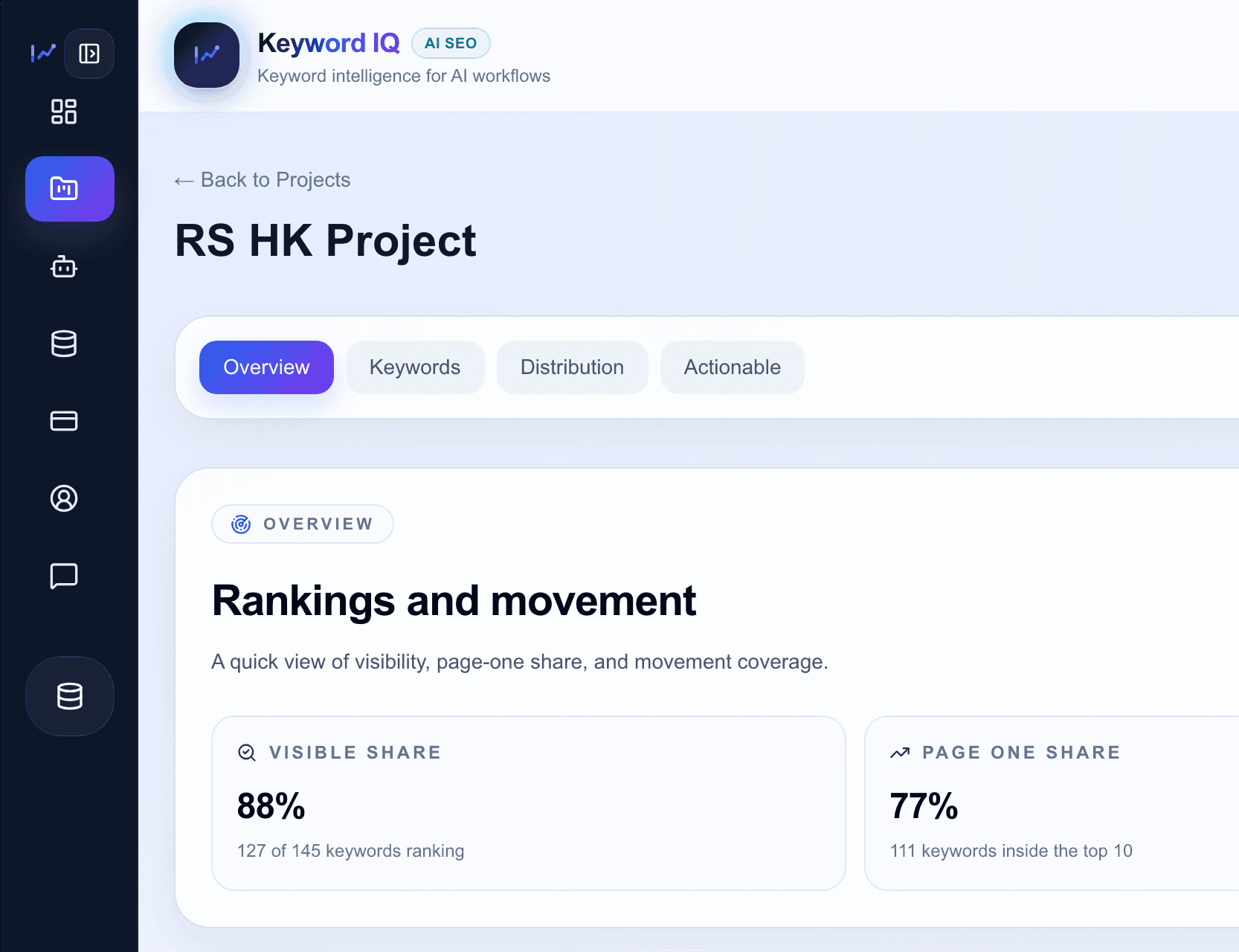
Keyword IQ dashboard preview
Faster reporting
Turn ranking updates into reports your team can use right away.
Less spreadsheet work
Review gains, losses, and opportunities in one place.
Clearer priorities
Focus on what changed, what matters, and what to do next.
Works with Keyword.com
Google Search Console ready
CSV/XLSX import ready
Built-in AI Assistant
Interactive AI walkthrough
See how Keyword IQ answers SEO questions

Feed the assistant a ranking question, blend synced or imported context, and see the kind of high-signal answer your team gets back.

Prompt Preview
Keyword.com sync
User prompt

Which keywords dropped from top 3 this month and what should we fix first?

Tracked
132
Top 3
23
Drops
4
Context fed into AI
social media management agency singapore fell from #2 to #8 after ranking URL changes
linkedin marketing dropped 6 positions while search volume stayed stable
two commercial terms lost Featured Snippet coverage this week
Simulated response
High-signal summary
Keyword IQ Assistant

What AI surfaces
Biggest gains, losses, quick wins, executive summaries, and next-step recommendations.
What teams avoid
Manual exports, spreadsheet comparisons, and copying raw ranking data into external chats.
How it works

From ranking data to action in 3 steps

Bring in your ranking data, spot what matters, and decide what to do next without rebuilding everything by hand.

Step 1

Connect or import data

Connect Keyword.com, add Google Search Console, or upload CSV/XLSX ranking history to bring rankings and search performance into one shared workspace.

Step 2

Review what changed

Review biggest gains, biggest losses, page-one opportunities, and ranking volatility without piecing it together from exports.

Step 3

Ask better follow-up questions

Use the built-in AI Assistant to explain changes, draft summaries, and suggest next steps with project context behind each answer.

Connected data

Bring rankings and search performance into one workspace

Connect Keyword.com and Google Search Console to review rankings, clicks, impressions, CTR, pages, and queries in one flow. Keyword IQ turns those signals into clearer priorities instead of leaving you with more dashboards to interpret.

Keyword.com

Keep rank tracking, keyword positions, and movement history as your ranking layer.

Google Search Console

Bring in clicks, impressions, CTR, pages, queries, devices, and countries alongside rankings.

Keyword IQ

Turn those signals into blended insights, priorities, and next actions your team can actually use.

Why this matters in practice
See rankings, clicks, impressions, and CTR in one workspace
Spot high-impression, low-CTR opportunities without jumping between tabs
Understand whether ranking gains actually changed click performance
Review page and query signals with context, not just raw GSC tables
Why teams add Keyword IQ

Keyword.com tracks rankings. Keyword IQ turns them into direction.

Keyword.com is strong at tracking rankings. Keyword IQ helps teams review the data faster, explain what changed, and decide what to work on next.

Keyword.com
  • Tracks keywords and positions
  • Shows reports, charts, and keyword lists
  • Provides the raw ranking layer
Keyword IQ
  • Highlights what changed and why it matters
  • Surfaces quick wins and reporting-ready summaries
  • Makes ranking data usable with built-in AI
Result
  • Faster SEO decisions
  • Less manual analysis
  • Clearer prioritization and reporting
Why not just use GSC

Search Console is valuable. Keyword IQ helps teams act on it faster.

GSC is a strong source of search performance data. Keyword IQ becomes useful when your team also needs rank context, prioritization, and a faster review workflow around the same pages and queries.

Google Search Console alone
  • Strong source for clicks, impressions, CTR, and page/query data
  • Still takes manual filtering and interpretation to connect changes to action
  • Does not explain ranking movement in the same workflow
Keyword IQ with Search Console
  • Blends ranking data and Search Console signals in one review flow
  • Surfaces CTR opportunities, click-loss pages, and pages that need attention
  • Helps your team decide what changed, what matters, and what to do next
Product capabilities

What Keyword IQ adds on top of ranking data

A simpler workspace for reviewing rankings, spotting opportunities, and working with imported data.

Automatic rank movement detection

See which keywords gained, dropped, or stayed flat without comparing exports by hand.

Page 1 opportunity detection

Spot keywords sitting just outside top positions so your team can act on quick wins faster.

Built-in AI Assistant and MCP access

Ask questions about ranking changes and next steps inside the dashboard, or connect your workspace to MCP-compatible tools.

Multi-project SEO workspace

Review projects, keyword trends, and reporting details in one place.

CSV and Excel ranking imports

Bring in ranking snapshots from CSV or Excel, then review them in the same workspace.

Frequently asked questions

Questions teams usually ask first

If you are deciding how Keyword IQ fits into your workflow, these are the questions that usually come up first.

What is Keyword IQ?

Keyword IQ is a workspace for reviewing ranking data, spotting what changed, and turning that into next steps for your team.

Does Keyword IQ replace Keyword.com?

No. Keyword.com still handles rank tracking. Keyword IQ helps with analysis, summaries, and follow-up after the data comes in.

How does AI fit into the workflow?

You can ask the built-in AI Assistant about ranking changes, opportunities, and next actions without pasting exports into another tool.

Why connect Google Search Console?

Search Console adds clicks, impressions, CTR, pages, and queries so Keyword IQ can show not just where rankings moved, but whether those changes mattered in search performance.

What is MCP access for?

MCP access lets you use the same workspace context in tools like ChatGPT or Claude when you want to work outside the dashboard.

The workflow problem

Most teams still do ranking analysis the slow way

If you already have ranking data, the harder part is usually reviewing it fast enough to make a decision and move.

Without Keyword IQ
Export rankings and rebuild the story manually
Compare gains and losses across spreadsheets and tabs
Paste raw keyword lists into AI tools with no context
Miss quick-win opportunities buried inside ranking reports
With Keyword IQ
See the movements that actually need attention
Turn raw rankings into summaries, priorities, and next steps
Work from Keyword.com, Search Console, or imported ranking files in one place
Use built-in AI with project context instead of raw exports
Speed up client reporting and internal decision-making
Why it wins

Why SEO teams use Keyword IQ

It helps teams move from raw ranking data to quicker decisions, cleaner reporting, and better use of AI.

Prioritize faster

Focus on the movements and opportunities that actually deserve action instead of reviewing rankings one by one.

Reduce manual analysis

Spend less time exporting, filtering, comparing, and explaining data across spreadsheets and reporting tabs.

Make AI useful for SEO

Ask direct questions about ranking changes, opportunities, and next actions with real project context behind the answers.

A faster way to review rankings

Turn ranking data into direction your team can act on

Sync or import your ranking data and give your team a cleaner way to review, report, and act.